
Fire Panel Simulator
Practise the fire panel before the alarm is real.
A training simulator for fire indicator panel operation. Facilitate realistic scenarios with your wardens and response teams, as often as you need.
01
See it in action
A 36-second walk through a laundry fire scenario: the alarm comes up on the fire panel, a warden calls on the radio, the Chief Warden runs the EWIS and checks the block plan, and the instructor watches and scores the run.
- Fire indicator panel and EWIS that behave like the real equipment
- Radio, fire phones, PA and the 000 call
- Ten scenarios, from a steam alarm to a spreading fire
- Instructor view with live injects, ground truth and scoring
02
Inside the simulator
 (open full size)
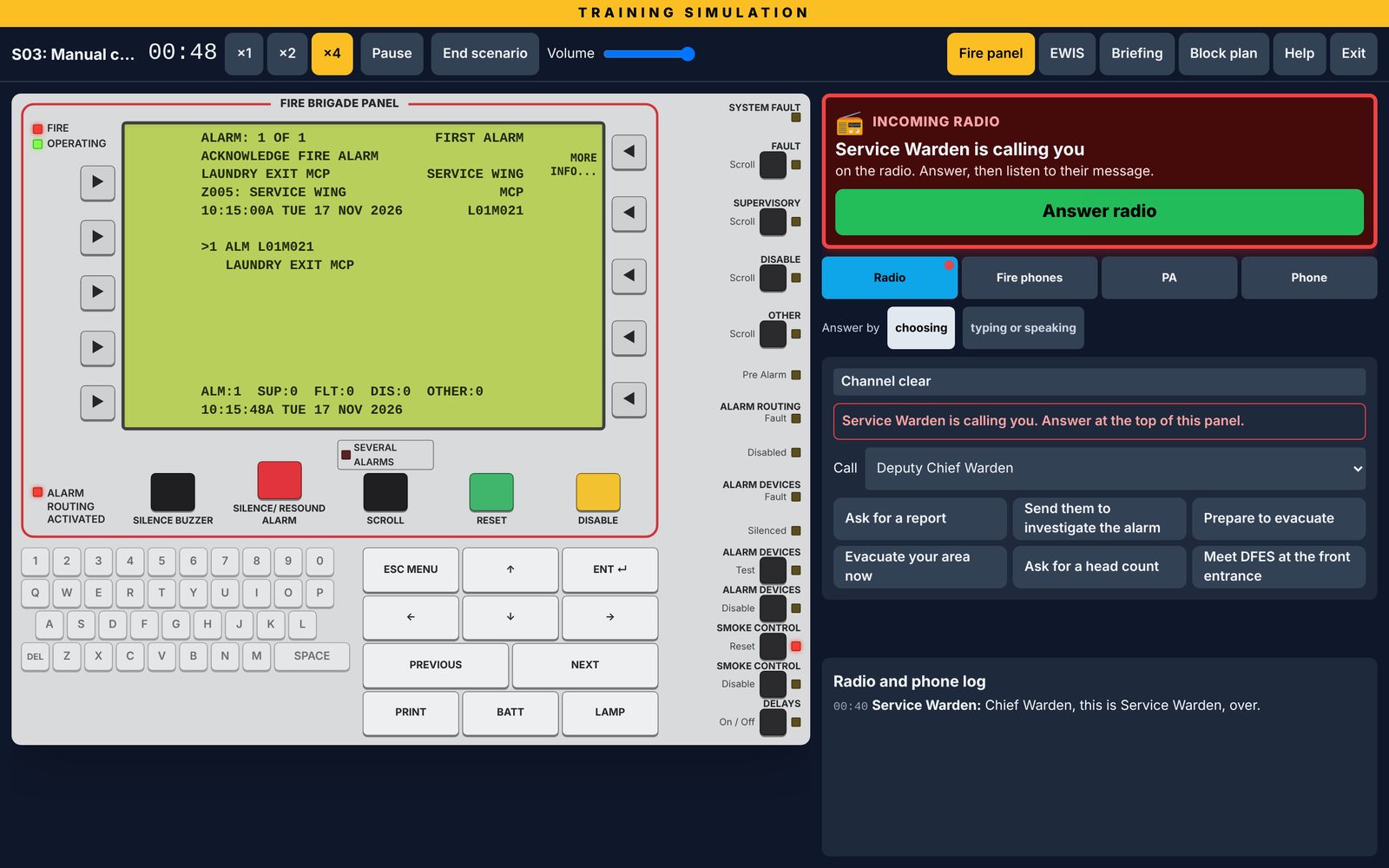
Fire indicator panel. A manual call point alarm, with an incoming radio call from the Service Warden. 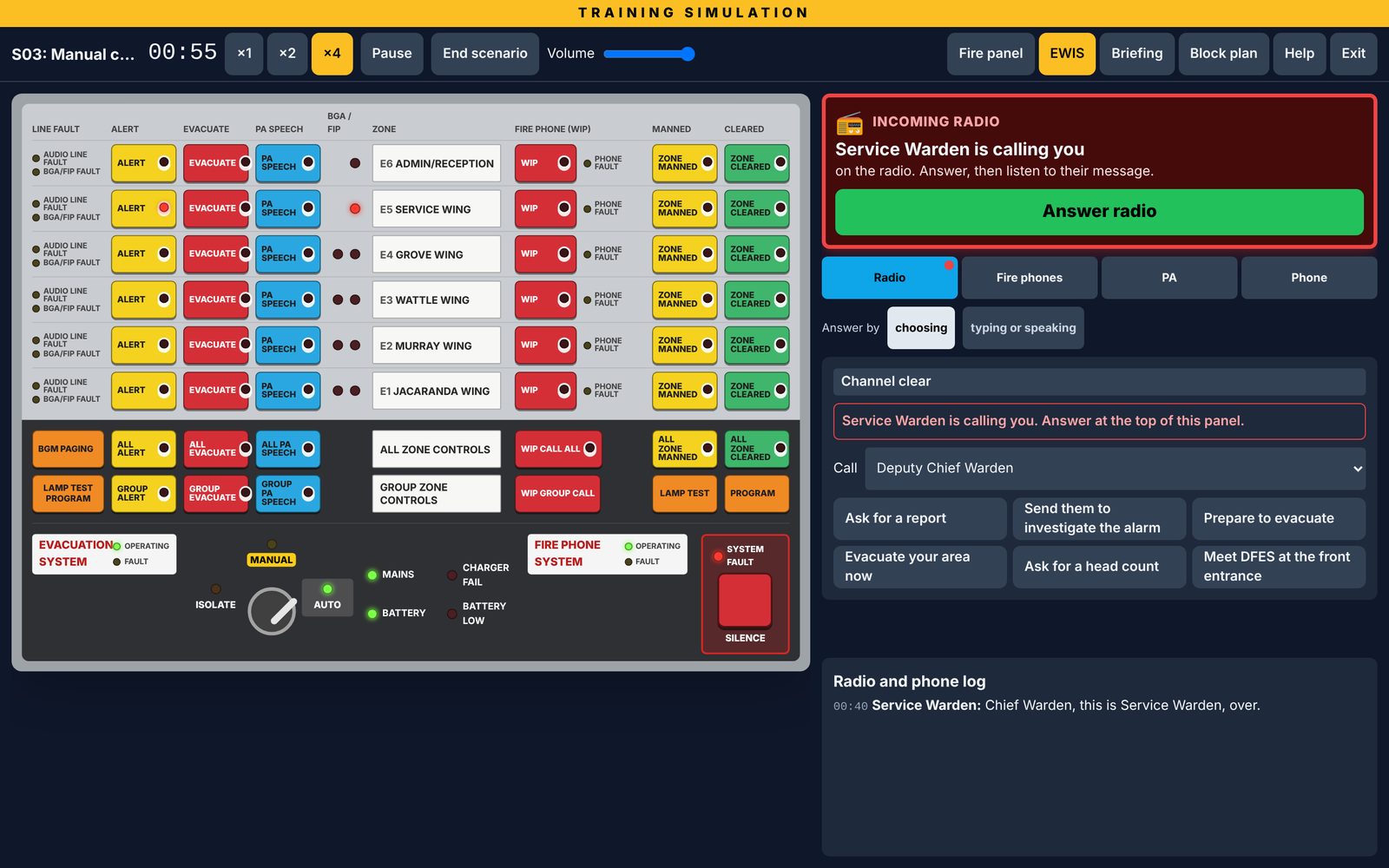 (open full size)
EWIS master panel. Alert, evacuate and PA each zone, answer fire phones and switch to manual. 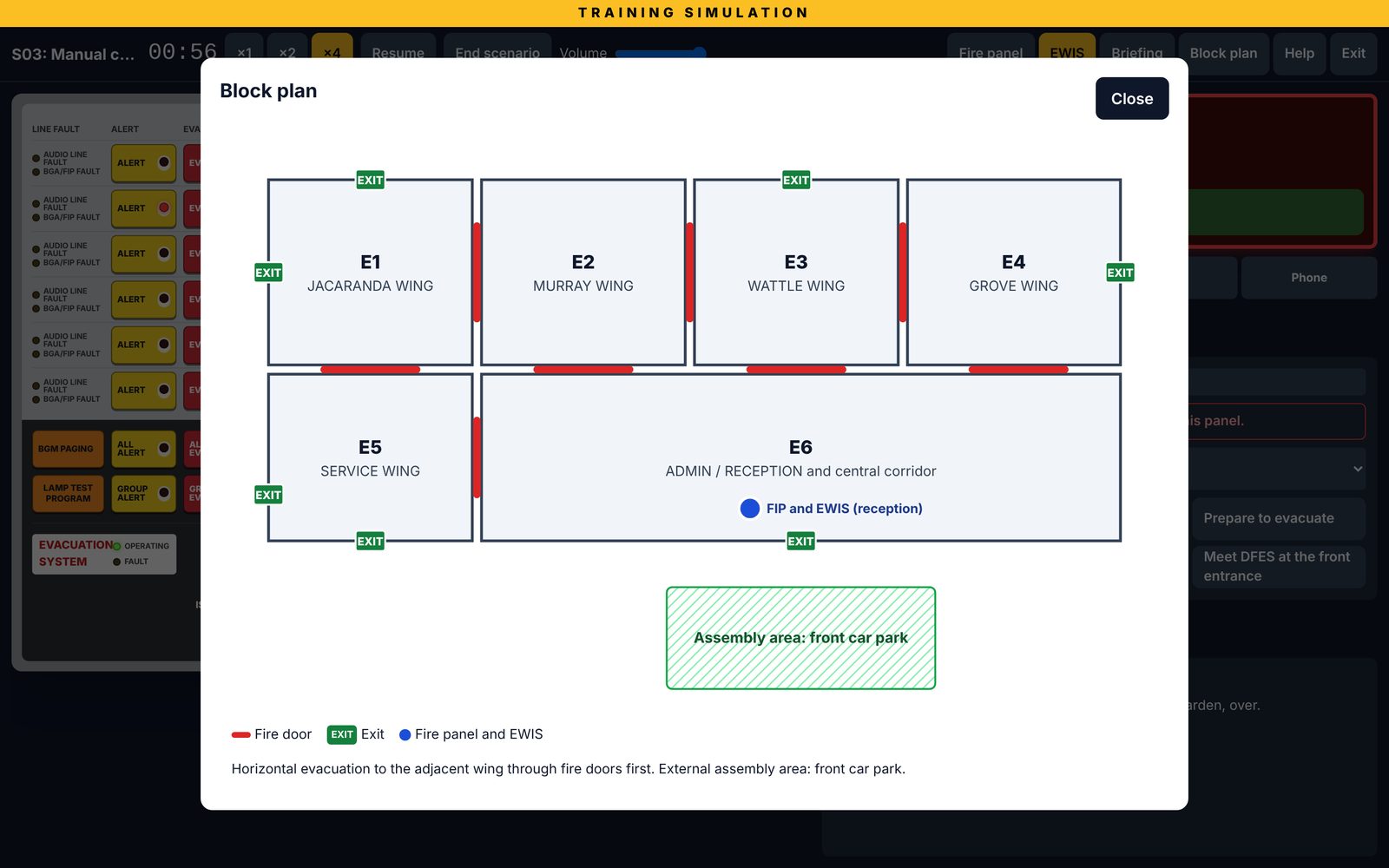 (open full size)
Block plan. Wings, fire doors, exits and the assembly area for the site. 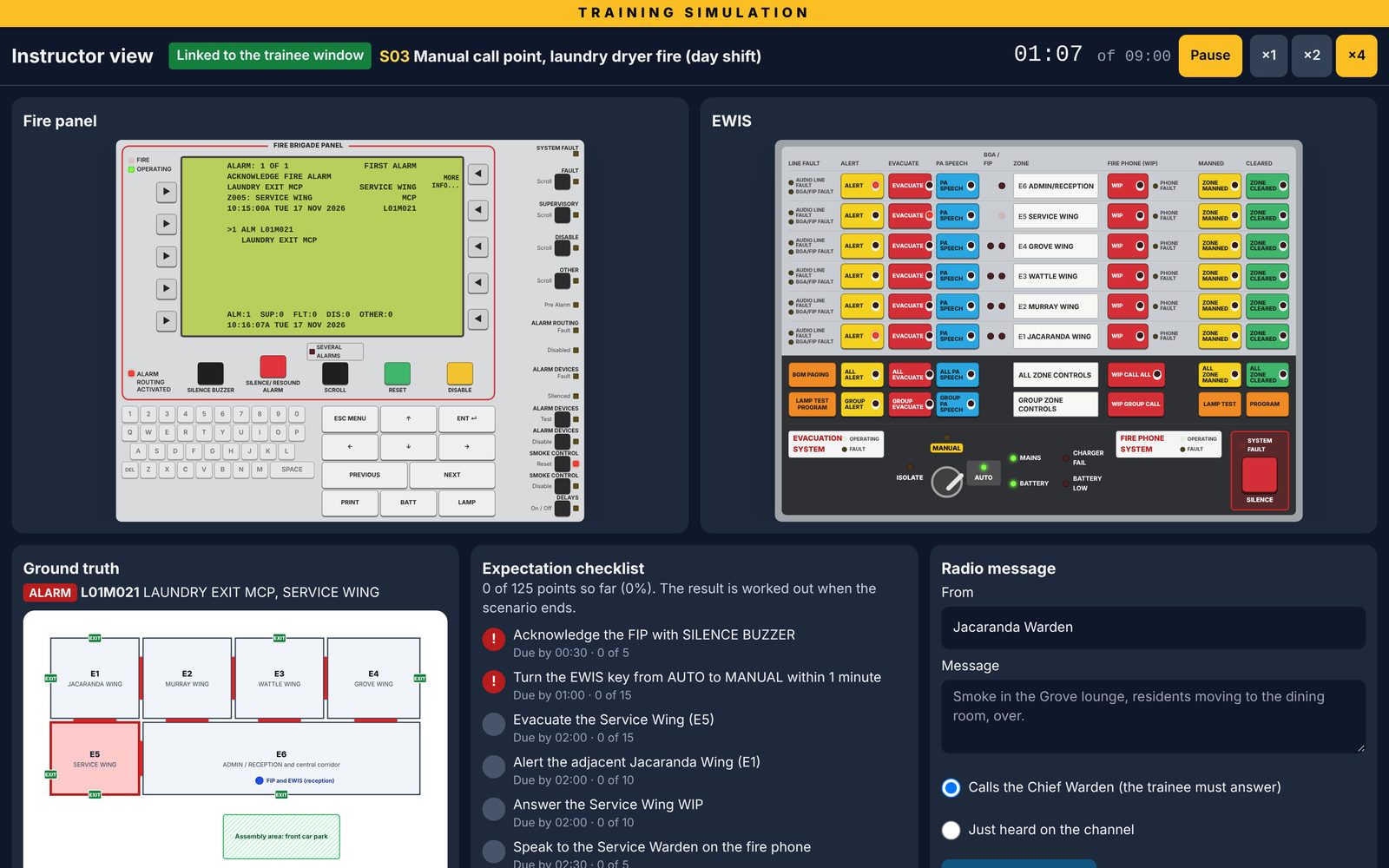 (open full size)
Instructor view. The trainee's panels live, the ground truth and a scoring checklist.
03
Subscription
04
How it works
- Choose your subscription and complete checkout. You'll create or sign in to your account along the way.
- We set up your access to the simulator and email your login details from subscriptions@continuumrisk.com.au.
- Start facilitating fire panel scenarios with your team.
Questions before you subscribe? Call 0415 822 998 or email firepanelsim@continuumrisk.com.au.